
RAID 0 is one of the simplest and fastest RAID configurations, commonly chosen by users who place a high priority on speed. It stripes data evenly across two or more drives, allowing information to be read and written at the same time. This significantly boosts performance for workloads such as video editing, gaming, and other data intensive tasks.
However, while RAID 0 delivers excellent speed, it lacks one vital element: redundancy.
If just a single drive fails, the entire array becomes unreadable and all stored data is lost. Because of this, RAID 0 is best suited for non critical scenarios where performance is more important than resilience.
Understanding what RAID 0 is, how it works, and the balance between its advantages and limitations allows users to decide when this configuration is appropriate for their needs.
How RAID 0 Works
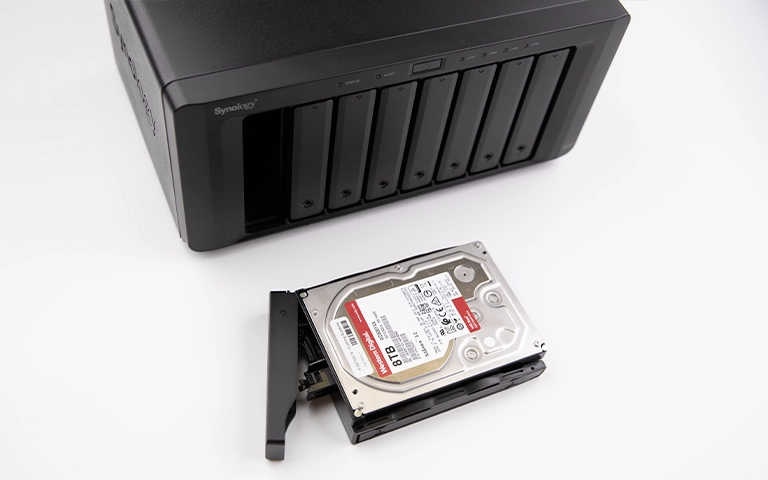
RAID 0 uses a technique known as data striping to enhance speed and overall efficiency. In this configuration, files are broken into smaller blocks and written across multiple drives simultaneously.
For example, with two drives in the array, one segment of a file is written to the first drive while the next segment is written to the second. Because both drives operate together, read and write speeds increase significantly.
However, RAID 0 offers no form of data protection. There is no mirroring or parity, so if a single drive fails, the entire array becomes inaccessible. Every file depends on all drives remaining fully functional.
While this design delivers exceptional performance, it also carries a higher risk of data loss. To better understand how striping behaves across different RAID levels, read our article on what striping in RAID means.
Advantages of RAID 0
RAID 0 is favoured by users who need maximum speed. By striping data across multiple drives, it delivers noticeably faster read and write performance than a single disk.
High Performance: Ideal for large file workflows such as video editing, rendering, and gaming.
Full Storage Utilisation: Uses the entire capacity of all drives with no space reserved for redundancy.
Simple to Configure: Easy to set up with both software and hardware RAID tools.
Cost Effective: Improves performance without requiring extra drives for protection.
While RAID 0 offers excellent speed, it should not be used for critical or irreplaceable data.
For more insights into where RAID configurations are used, explore our post on RAID in computers.
Disadvantages of RAID 0
Although RAID 0 delivers excellent speed, it carries significant risks that make it unsuitable for storing important data. Its main limitation is the total lack of redundancy.
No Fault Tolerance:
If one drive fails, the entire array becomes unreadable. Because data is split across multiple disks, full recovery is impossible without specialist support.High Risk of Data Loss:
The risk increases with every additional drive. A single hardware issue, power event, or mechanical fault can render the system inaccessible.Complex Recovery Process:
When RAID 0 fails, the fragmented layout makes recovery challenging. Professional engineers are required to reconstruct the array and extract data safely.Unsuitable for Sensitive Data:
RAID 0 should not be used for business systems, databases, or any environment where data reliability matters. It is best reserved for temporary or non critical performance tasks.
Understanding these risks is essential before deploying RAID 0. To explore common failure causes in more detail, visit our post on reasons for RAID data loss.
When to Use RAID 0
RAID 0 is a strong option when performance is the main priority and data protection is not required. It delivers excellent speed for workloads that handle large files or need rapid data access, but it should only be used in the right circumstances.
- Gaming systems that benefit from fast load times
- Video editing or multimedia workstations where speed outweighs redundancy
- Temporary processing or rendering tasks where data can be recreated if lost
- Business servers, databases, or any environment that stores sensitive or irreplaceable information
- Systems that run continuously without consistent backups
To minimise risk, combine RAID 0 with a reliable backup routine or cloud based replication. Even high performance arrays can fail without warning.
Learn more about this topic in our article RAID is not backup.
RAID 0 Data Loss and Recovery
Because RAID 0 offers no redundancy, data loss can occur immediately when one or more drives fail. Typical symptoms include missing volumes, corrupted partitions, or disks that are no longer detected by the system.
Continuing to use the array after failure can overwrite valuable data and make recovery significantly harder.
Common Causes of RAID 0 Data Loss
Physical drive failure or developing bad sectors
Power surges or sudden system shutdowns
Faulty RAID controller or loose cable connections
Accidental formatting or incorrect rebuild attempts
File system corruption caused by software issues
Recovering data from a failed RAID 0 array requires specialist methods. Engineers begin by creating sector level images of every drive, then analyse the striping pattern to reconstruct the array. Only once the virtual layout is rebuilt can data be retrieved safely.
DIY recovery attempts often lead to irreversible loss, as RAID 0 contains no redundant information to fall back on.
For safe diagnostics and restoration, read more about troubleshooting RAID failure.
Fast turnaround times for business-critical data
Professional RAID 0 Recovery Services
When a RAID 0 array fails, expert intervention is essential. With no redundancy in place, even small mistakes can lead to permanent data loss.
At RAID Recovery Services, our engineers specialise in recovering data from failed or corrupted RAID 0 systems. We start with a full diagnostic, image each drive in a controlled environment, and rebuild the array virtually to extract data safely.
Our team regularly recovers RAID 0 setups affected by drive faults, controller issues, or accidental formatting.
Learn more about similar cases on our page about failed RAID 0 volume recovery.
If your RAID 0 array has failed or become unreadable, contact RAID Recovery Services for a professional assessment and dependable recovery support.

Conclusion
RAID 0 offers exceptional speed and full use of available storage, but it provides no safeguard against drive failure. A single fault can lead to total data loss, so it is important to understand both the advantages and the risks before relying on this configuration.
If you use RAID 0 for high speed workloads, ensure you maintain consistent backups and keep a close watch on drive health. In the event of a failure, avoid rebuild attempts that may overwrite data and reduce the chances of recovery.
For a safe and accurate restoration, trust RAID Recovery Services to carry out a secure evaluation and recover your files using professional methods.
Trust the experts with proven results
Frequently Asked Questions
What is RAID 0 used for?
RAID 0 is mainly used for tasks that require high performance, such as gaming, video editing, and temporary data processing. It boosts speed by striping data across multiple drives, although it offers no redundancy or fault tolerance.
Is RAID 0 good for storing important data?
No. RAID 0 is not appropriate for critical information because it provides no protection if a drive fails. It should only be used in scenarios where speed is more important than reliability.
What happens if one drive in RAID 0 fails?
If a single drive fails, the whole array becomes inaccessible. Because files are split across all disks, no complete data set can be recovered without professional support.
Can RAID 0 data be recovered?
Yes, in many cases. Professional engineers can image each drive and reconstruct the original striping pattern to rebuild the array. DIY attempts often worsen the damage, so expert recovery is strongly recommended.
How can I protect my data when using RAID 0?
Always maintain separate backups on external or cloud storage. Use monitoring tools to track drive health and replace failing disks promptly. RAID 0 should never be considered a backup solution.