
Most of the recoveries we write about fit on a bench. This one filled a rack.
A client running a three-node BeeGFS cluster came to us after one of their storage targets stopped serving files correctly. Each node holds roughly 489 TB of chunk data across a 32-drive RAID 6 set. Two nodes were healthy. The third had been “repaired,” and the repair is what created the case.
An IT technician, working with the best of intentions, ran a filesystem check against the XFS volume that backs the chunk store. xfs_repair did precisely what it is designed to do: when it finds directory entries it cannot validate, it detaches the objects and parks them in lost+found so the filesystem mounts cleanly again. It succeeded. The filesystem mounted. And 82,547,185 files ended up sitting under lost+found in about 1.84 million numbered subdirectories, with their names intact and their paths gone.
To BeeGFS, a chunk whose path has changed does not exist. The cluster reported petabytes of healthy capacity and could not read a large share of it.
What follows is how we got it back, what we had to build along the way, and the part we think is most worth reading: the several points at which our own reconstruction turned out to be wrong, and how we caught it before it touched a client’s data.
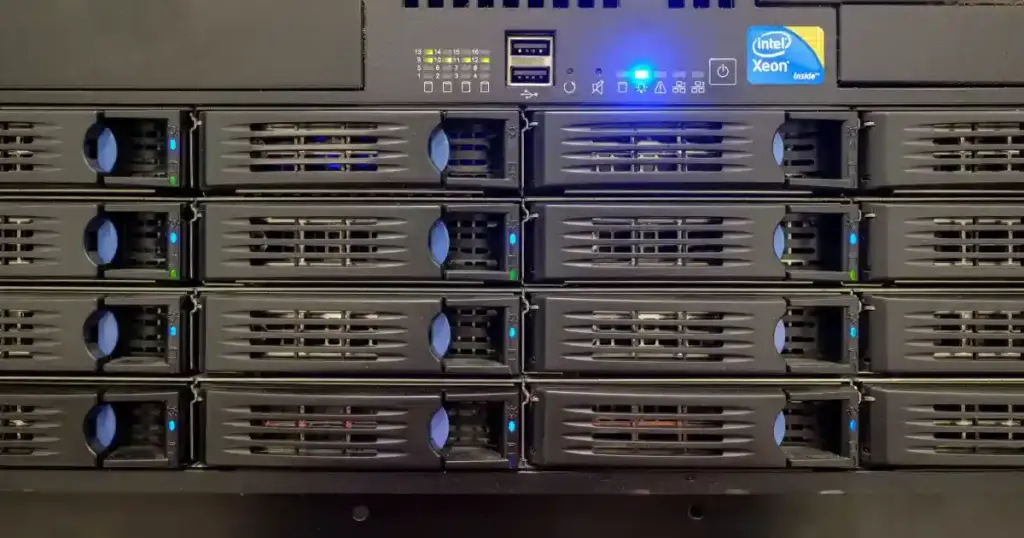
Why the path is the data
It is worth being precise about why parking files in lost+found is catastrophic for a clustered filesystem when it would be a survivable inconvenience for a general-purpose one.
On a normal Linux server, a file recovered into lost+found with its contents intact is annoying but recoverable. A human can open it, recognize it, and put it back. The contents carry the meaning.
BeeGFS does not work that way. The metadata servers hold the namespace, the directory tree users see, while the storage targets hold only opaque chunks. A chunk’s identity is entirely a function of where it sits:
chunks/u<uid>/<hash1>/<hash2>/<parentEntryID>/<entryID>
The metadata server computes that path from the file’s own attributes and asks the storage target for exactly that location. There is no search, no fallback, no content inspection. If the chunk is not at the computed path, the file is missing as far as the cluster is concerned, even though the bytes are sitting on the disk a few directories away, perfectly intact.
So xfs_repair preserved 100% of the data and destroyed 100% of its usability. Every byte survived. Nothing was readable.
This distinction shaped the entire engagement. We were not recovering data. The data was fine. We were reconstructing addresses.
Step zero: nothing is touched until everything is copied
Before a single command ran against the client’s hardware, every drive in the damaged node was imaged to an identical drive. Thirty-two source drives, thirty-two targets, sector for sector.
This is not a formality on a job like this. Every technique described below is an experiment, and several of them failed on the first attempt. Working against a byte-exact copy of the original volume is what turns a failed experiment into a morning’s lost work instead of a permanent loss.
It also meant that when we later needed to scan the raw volume for deleted structures, the pre-repair state was still available to us, a point that became critical in Phase 3, months into the engagement, in a way nobody anticipated on day one.
There is a second reason, less obvious and just as important. Once you have an image, you can be aggressive. Recovery work slows to a crawl when every command carries the risk of making things worse; engineers start second-guessing, running extra checks, avoiding the experiment that would have answered the question in ten minutes.
With a verified image behind you, the calculus changes. You can try the thing that probably will not work, because the cost of being wrong is bounded.
If you remember one thing from this article: image first, diagnose second. The single most expensive mistake in enterprise recovery is running a repair tool on the only copy you have.
Recovering an environment of this scale required a carefully controlled server data recovery process to preserve the original disks while reconstructing the storage structure.

Reassembling a 500 TB RAID 6 by hand
The 32 members were 18 TB Seagate enterprise drives, 16.37 TiB usable each. A commercial recovery suite auto-detected the array and presented a volume with an XFS partition starting at sector 2048, which was encouraging, but at this size the GUI tooling struggled to do anything useful with it. Scans stalled. Nothing completed. Progress bars advanced for a day and reset. We needed direct, scriptable access to the assembled volume.
So we wrote our own userspace RAID 6 mapper.
The detected parameters were straightforward on paper: left-symmetric layout, 256 KB stripe unit, parity delay 1, P first and Q second, Galois field polynomial 0x11d. The member order from the RAID panel was correct. And the resulting volume was still wrong.
The mismatch turned out to be the rotation origin. On stripe 0, this array puts P at position 30 and Q at position 31, with data walking forward from P+2. Linux md’s left-symmetric convention puts P at position 31 on stripe 0. Both descriptions are internally consistent; they simply index the rotation from different zero points. Correcting for it is a one-position shift. Set rotation_shift = 1, or equivalently rotate the disk order right by one and leave the shift at zero. The two are the same mapping expressed two ways.
This is the kind of detail that costs days if you approach it by trial and error, because a nearly-correct RAID mapping produces output that looks almost right. Partition tables parse. The first superblock reads cleanly. Directories appear. It is only deeper into the volume that everything dissolves into noise, and by then you have built an hour of analysis on a broken foundation.
We confirmed it twice, independently, before trusting it:
Read stripes at random across the volume, compute the P and Q syndromes for every candidate layout, and see which one balances. Only one did: 60 of 60 stripes correct on P, 60 of 60 on Q.
Every other candidate layout failed on the majority of stripes. This is a strong test because P and Q are computed differently. P is a simple XOR, while Q is a Galois-field weighted sum, so a layout that accidentally satisfies one will almost never satisfy the other.

Take a small reference image extracted by the commercial tool, and match 256 KB chunks from the raw members against it by content. Same answer, arrived at without any reference to parity mathematics.
Then came the proof that actually mattered. XFS writes a superblock at the start of every allocation group. This volume has 492 of them, spread evenly across all 540 TB. Every secondary superblock records the same UUID, block size, AG size and total block count as the primary. If your RAID geometry is wrong by even one position, the secondaries land in the wrong place and stop parsing.
We checked eight of them, spaced out to 536 TB. All eight parsed, all eight agreed: 4 KB blocks, 492 allocation groups, one consistent UUID. That is an end-to-end verification of the block mapping across the entire span of the array, not just the first few gigabytes.
We now run this check before committing to any large array reconstruction, and we recommend it to anyone doing the same work. Filesystems that scatter redundant metadata across the whole volume, including XFS allocation groups, ext4 backup superblocks and ZFS uberblock arrays, hand you free checkpoints for validating geometry at scale. Use them. A RAID mapping verified only at the start of the volume is a mapping you have not verified.
For the record, the true volume size is 539,969,999,339,520 bytes. That is 540.0 TB decimal, or 491.1 TiB, a distinction that matters a great deal when you are sizing the external storage that has to hold the image, and one that caused a genuine procurement conversation before the job started.

The shape of the problem
With the array assembled and readable, we could finally survey the damage properly. A directory listing of the storage root told the story:
Two numbers jump out. The lost+found directory has a link count of 1,843,952, meaning roughly 1.84 million subdirectories inside it, and the directory inode itself is 514 MB. That is not a filesystem in a normal state.
The other number worth noting is the empty buddymir directory. BeeGFS supports buddy mirroring, which keeps a second copy of each chunk on a partner target. This cluster had it configured but unused. Three nodes of infrastructure, one copy of the data. We will come back to that.
A scan of the volume into a database gave us the precise figure: 82,547,185 files under lost+found, against a filesystem that should have held roughly 147 million.
The tooling decision that made the rest possible
Before describing the phases, it is worth explaining a choice that shaped everything: we did almost all of the analysis in DuckDB.
Working with tens of millions of path records is not a shell scripting problem. Every naive approach dies on join performance. The first version of our relocation script re-exported the full route list and re-scanned a growing log file on every batch of 200 files, an O(N²) design that would have taken weeks on this dataset, and which we caught only because we tested it against a synthetic corpus first.
A columnar analytical engine that runs on a single machine, reads Parquet natively and joins hundreds of millions of rows without complaint turned a week of scripting into a set of SQL queries. Concretely, over the course of this recovery we ran joins between:
43 million reconstructed routes and 408 million metadata records
39 million unrouted files and 278 million entry IDs from healthy nodes
1.1 million scanner results and 99 million live filesystem entries
Each of those runs in minutes on a single workstation. None of them would have been practical as a script.
The broader point: recovery at this scale is a data-engineering problem wearing a storage-engineering costume. The hard part is not reading bytes off a disk. It is joining tens of millions of facts from four independent sources and working out which source to believe when they disagree, which, as it turned out, was the central question of the entire project.

Phase 1: reading the repair log backward
xfs_repair is verbose. As it detaches objects, it says what it did. That log is, in effect, a partial record of the directory tree that used to exist.
We parsed the repair output and reconstructed two things from it: the original path of each orphaned object, and the parent/child relationships between the directories. Those went into DuckDB alongside a full scan of the current filesystem state, three databases totaling roughly 10 GB.
The routing logic chained three lookups:
The first routing pass produced targets for 43,222,159 files. Then we found the structural pattern that made the rest of the project tractable:
xfs_repair moved whole directories, not individual files.
Which means the physical location under lost+found/<inode>/… and the reconstructed target path share a common suffix:
					source  /brick/storage/lost+found/302914319544/4/1A70-691C4D29-1/323F-691C4D56-2
                                              └────────── suffix ─────────────┘
target  /brick/storage/chunks/u80D/691C       /4/1A70-691C4D29-1/323F-691C4D56-2
Once we tested for that, 42,870,846 of 43,222,159 routes, 99.19%, conformed to it. The remaining 351,313 were all nested files whose basenames matched and whose immediate parent directory name differed. Not noise. A specific, explainable disagreement between two sources.
We used the agreement as a filter. Only routes where the reconstruction agreed with the physical evidence were exported for the first move; the 351,313 disputed cases were held back entirely. That decision looked conservative at the time. It turned out to be one of the most consequential calls in the project.
Restoring the conforming set took 1 hour 10 minutes for 42.87 million files, at roughly 10,000 files per second, with two conflicts and zero errors.
How the mover works
Some notes on the mechanics, because at this scale the details are not incidental.
Moves are link() + unlink(), never copy. A hard link followed by removing the source is a rename in everything but name: same inode, no data read or written, owner and mode and timestamps and extended attributes all preserved. It is also atomic in the way that matters. link() fails with EEXIST if the target is occupied, so an existing chunk can never be silently clobbered. mv -n looks equivalent but performs a stat-then-rename, leaving a window where a concurrent write can lose.
Every move is written to a ledger before the next batch begins. The ledger is what makes the whole operation reversible: a rollback script reads it, swaps source and target, and puts everything back. On a job this size an undo path is not optional. We ran it against a test corpus and confirmed the tree hashed identically before and after a full move-and-rollback cycle.
The mover reads a flat route list and nothing else. No database, no lock, no query per file. Progress is a byte offset into that file, written after each batch, so an interrupted run resumes within 20,000 routes of where it stopped and a crash costs seconds.
Worker processes do syscalls, not forks. The first implementation spawned mkdir, ln and rm per file, three processes for every one of 42 million files. Measured throughput: 215 files/sec. Replacing that with Python workers calling os.link() and os.unlink() directly took the same corpus from 4 minutes 38 seconds to 3 seconds. A 130× speedup from eliminating process creation, with no change to the logic.
Tuning the worker count on real hardware showed 32 workers beat 8 comfortably, and 64 was worse than 32. Past a certain concurrency you are simply contending on the XFS log and directory locks. Worth measuring rather than assuming.
Fast turnaround times for business-critical data
Phase 2: reverse-engineering the BeeGFS inode table
Phase 1 handled the files the repair log described. That left about 39 million it did not. For those we needed a different source of truth, and BeeGFS had one: its own metadata.
The client had run beegfs-fsck a week before the repair, which had dumped the metadata servers’ view of the filesystem into a set of dense binary tables. The one we needed, fileinodes, was 45.7 GB. There is no published format for it, so we decoded it by hand from hex dumps.
The structure turned out to be a 4,176-byte header followed by fixed 112-byte records. Within each record, the fields we needed:
From those fields the chunk path falls straight out:
chunks/u{uid:X}/{parent-timestamp hex[0:4]}/{parent-timestamp hex[4]}/{parentEntryID}/{entryID}
We validated the formula against real paths from the client’s own filesystem before trusting it, including, satisfyingly, the two paths that had come back as conflicts during Phase 1. It reproduced both exactly.
BeeGFS deployments often involve large and complex storage configurations. Read more about enterprise RAID data recovery.

Getting it wrong three times
The parser did not work first time, and the way it failed is the most instructive part of this section. We wrote it to abort on any record it could not validate, rather than skipping bad records and carrying on. That decision caught three separate errors that would otherwise have produced plausible-looking but wrong output at scale.
- Error one: a flags field mistaken for a signature. We had identified the u32 at +28 as a constant 0x20000623 and used it as a record marker. On the real file, 6.46% of records failed the check. Dumping them showed 0x20000622, one bit different, and otherwise perfectly valid data. It was a flags field, not a signature. Two record variants, both legitimate.
- Error two: zeroed parents. Some records carry 0-0-0 in the parent field and hold the real parent in the original parent field. Our formula would have generated chunks/u7D1/0/0/0-0-0/… for every one of them and never complained. This is the failure mode that keeps us up at night: silent, plausible, wrong. It was caught only because we ran the parser on a 200 MB slice first and inspected the distribution before committing to the full file.
- Error three: variable stripe width. After fixing the first two, one worker still aborted, 18 bad records out of 50.9 million, at a perfectly aligned offset. The hex showed 0x20000423 where we expected 0x20000623, and a stripe target list with two entries instead of three. Byte +29 was not part of a signature at all; it was the byte length of the stripe target list. Those 18 records were files striped across only two of the three targets. Entirely valid data that our parser was rejecting.
Each of these was found by the same discipline: validate everything, abort on anomaly, dump the anomaly, understand it, then widen the rule. The alternative, skip what does not parse, would have produced a dataset that looked complete and was quietly missing millions of records.
The final parse: 407,833,733 records into a 6.3 GB Parquet file, every one passing validation. We stored integers only and generated the path strings at query time; materializing them would have tripled the file size for no benefit.
Trust the experts with proven results
Then we tested it against reality, and it lost
Here is where the project got interesting.
We now had two independent reconstructions: the repair-log carve from Phase 1, and the inode table from Phase 2. They disagreed about 765,220 files. The obvious move was to pick the more trustworthy source and proceed. We could not, because we had no way to know which one that was.
What broke the deadlock was the client’s other two nodes.
Because files stripe across all three targets at the same relative path, the correct directory structure for the damaged node was sitting, intact and undamaged, on brick001 and brick002. We asked the client’s team to produce a listing. What came back was better than we asked for, full scans with sizes, microsecond-precision timestamps and inode numbers, one database per node.
Combined, they gave us 10,972,742 real chunk directories and 277,743,284 distinct entry IDs, with zero ambiguity: no entry ID mapped to two different directories on either node.
Before using that as ground truth, we ran a control. Take 196,510 placements where both of our reconstructions already agreed, and check whether those directories exist on the healthy nodes:
196,510 of 196,510. 100.00%.
That number is what licensed everything after it. It proves the healthy-node directory set has no meaningful gaps, so a directory absent from it is genuinely not a real BeeGFS directory rather than an artifact of incomplete scanning.
Then we ran the same test on the 414,896 contested files:
The inode table lost. Over half the parent directories it proposed for those files do not exist anywhere on a working filesystem.
This was the opposite of what we expected. We had reverse-engineered the inode table ourselves, validated the path formula against real data, and watched it agree with physical evidence on a different subset 350,281 times against 990. We were inclined to believe it. The healthy nodes said otherwise, and the healthy nodes were not a reconstruction.
The explanation, once we looked closely: those 414,896 were all bare files, sitting directly in lost+found/<inode>/ with no surviving parent directory. For files like that the inode table had no real parent information and produced something anyway. On nested files, where a parent directory survived, it was accurate.
Two conclusions followed. First, the 42.87 million files moved in Phase 1 were correctly placed and nothing needed reversing. Second, and this is the part worth generalizing, a source can be reliable on one population and unreliable on another, and aggregate accuracy figures hide that completely. If we had measured the inode table’s overall accuracy and applied it uniformly, we would have moved 414,896 files to directories that do not exist.

The 351,313 we held back
The disputed files from Phase 1 got the same treatment. Of the 111,858 that ground truth could reach:
- Repair-log reconstruction: 0 correct. Not one.
- Inode table: 111,590 correct, 99.76%.
The decision to hold them back before the first move was correct, and now we could prove it. They were routed with the inode table in Phase 2.
Measuring accuracy instead of assuming it
For the 20.3 million nested files that Phase 1 could not route, 5,327,469 had a counterpart on a healthy node, meaning we could check the inode table’s answer against ground truth for every one of them.
5,285,754 of 5,326,860 correct. 99.23%.
That is the number that made Phase 2 defensible. Not a hope, not an argument from first principles, a measurement on five million files, taken against a working filesystem, on exactly the population we were about to move.
The 0.78% that failed turned out to be concentrated rather than scattered: 41,106 errors arising from only 8,863 distinct wrong directories, with the largest single bad mapping accounting for 7,496 files. The inode table fails per parent record, not per file. That made two safety filters possible, both derived from the verified sample rather than invented:
- The proposed parent must exist on a healthy node. This alone caught 30,863 of the 41,106 known errors, 75%.
- The proposed parent must not appear in a blocklist of 8,863 directories the inode table demonstrably gets wrong.
Together they reduced the expected error rate from 0.78% to roughly 0.19%.
Phase 2 execution
The move ran in two tiers, deliberately separated so the more trustworthy set could be verified before the less trustworthy one started:
- Tier 1, ground truth. Files whose correct location was read directly off a working filesystem. No inference at all. 5,439,318 files, 9 conflicts, 23m42s.
- Tier 2, inode table with both filters applied. 14,522,074 files, 13 conflicts, 40m44s.
The conflict rates are worth noting: 9 in 5.4 million and 13 in 14.5 million. If the inode table had been routing files badly, wrong targets would have collided with correctly-placed files far more often than that. The execution corroborated the measurement.
Running total: 62,832,238 of 82,547,185 files restored, 76%.
What remained were 19,013,790 files sitting loose directly in lost+found with eleven-character, dash-free names. xfs_repair had renamed them by inode number. Their entry IDs, the only key that connects a chunk to its file, were gone. Plus 701,135 files parked deliberately because no defensible target could be established: 659,655 whose proposed parent does not exist on any healthy node, 36,209 hitting the blocklist, and 5,271 absent from the inode table entirely.
We do not guess on a client’s data. A file in the wrong place is worse than a file in lost+found, because it looks correct.
What striping actually means for recovery
Partway through Phase 2 the client mentioned something that reframed a chunk of the analysis: they had taken a chunk file, appended .jpg to the name, and it opened as a complete image.
That should not happen if chunks are fragments. It happens when the file is small enough to fit in a single 512 KB chunk, in which case the whole file lives on one target and the first chunk carries the header.
Checking a single directory across all three nodes made the pattern concrete:
Same filenames on every node, the chunk name is the file’s entry ID, a property of the file rather than the target. Different sizes, because each target holds different byte ranges. And gaps, because small files land on a single target.
2,097,152 is exactly 4 × 512 KB and 1,572,864 is 3 × 512 KB, whole numbers of stripes, while the odd values are tails.
This explained a discrepancy that had been bothering us. Nested unrouted files appeared on healthy nodes 26.2% of the time; files from the Phase 1 population only 2.8% of the time. Nearly a tenfold difference between two groups from the same disk.
The answer was size. Nested files averaged 8.49 MB; the loose ones 1.62 MB. A file only lands on a second target once it exceeds one chunk, so larger files are mechanically more likely to have a counterpart elsewhere. Nothing was wrong with either measurement, we had been comparing populations that stripe differently and reading the difference as significant.
It is a small thing, but it is the kind of small thing that produces a confidently wrong conclusion if you do not chase it down.
The practical consequence
A striped file needs every target’s chunk. Restoring 62.8 million chunks does not mean 62.8 million files now open, it means every file whose chunks are all back is now readable, and any file still missing one piece is damaged regardless of how many pieces were restored.
We built a small utility for this: given a file’s size, chunk size and target count, it computes the expected bytes on each target and compares against what is actually present.
					file size      : 5242880 bytes (5.00 MB)
stripe count   : 10

expected bytes per target:
  target 0 :      2097152  (4 stripes)
  target 1 :      1572864  (3 stripes)
  target 2 :      1572864  (3 stripes)

observed vs expected:
  target 0 : observed 2097152   expected 2097152   match
  target 1 : observed 1572864   expected 1572864   match
  target 2 : observed       0   expected 1572864   DIFFERS
  MISSING 1572864 bytes (30.0% of the file)
Chunk counts tell you about the recovery. This tells you about the file, which is what the client actually cares about.
Phase 3: the 150 TB that was not there
With the tree substantially rebuilt, we compared capacity across the cluster properly. The two healthy nodes are close to identical:
They agree to within 0.002% on bytes and 0.020% on file count. BeeGFS had been distributing almost perfectly evenly, which makes either node an excellent model for what the third should contain.
The repaired node, after both phases:
Roughly 30% of the target is simply gone, in neither chunks/ nor lost+found/, with no filesystem record of any kind.
The average size of the missing set works out to 2.97 MB against 3.17 MB on the healthy nodes. Close enough that the missing files look like a representative cross-section rather than one particular class. This is not “the large files went” or “one user’s directory vanished.”
Where did it go? Almost certainly a combination of the xfs_repair run and earlier restore attempts the client made before calling us. Blocks freed, metadata discarded, some of it subsequently overwritten. This is what makes the “stop and call someone” advice more than marketing: the recoverable fraction shrinks with every well-intentioned repair attempt.

The disk still holds more than the filesystem admits
A partial scan of the original image, about 5% of the volume, found 1,111,960 files in the raw structures. Of those:
- 202,009 were present on the live filesystem, with 100.00% size agreement. That validated the scanner’s output and the join method completely.
- 909,951 existed nowhere in chunks/ or lost+found/ at all. Just under 2 TB. The filesystem could no longer see them. The disk still held them.
Then the question that decided whether Phase 3 was worth attempting: can we work out where those files belong?
840,479 of 909,951, 92.37%, have a computable target path from the inode table. And of those, 833,264 (99.14%) have a parent directory that exists on a healthy node.
That is the whole recovery model in one figure. These files have no directory entry, no path, and no filesystem record, and we can still place 92% of them, because the metadata servers recorded the parent relationship independently of XFS, and we can corroborate the answer against a working filesystem.
Extrapolating the 5% sample gives roughly 18 million files and 40 TB, about 38% of the missing files by count and 27% by volume. Whether the rest is recoverable depends on whether that sample window was representative, which is a question we are still answering rather than guessing at.
Building an XFS scanner that survives half a petabyte
The problem with Phase 3 was that no tool we had could execute it. Commercial recovery software chokes on a half-petabyte XFS volume. xfs_db is a debugger, not a scanner. And a naive brute-force scan of 540 TB at typical throughput is a multi-week job that produces no partial results while it runs.
So we wrote the scanner.
The tool parses XFS v4 and v5 directly from a raw image or block device. It never mounts anything, never writes to the source, and, critically, has two independent ways to find every inode, because on a damaged volume you cannot assume the metadata trees are trustworthy.
It runs in three passes, deliberately separated.
Pass 1 - the inode B+tree (fast)
Each allocation group has an inode B+tree recording exactly which inode chunks are allocated. Walking it and reading only the blocks it points at reconstructs the live namespace in inode-bytes rather than volume-bytes. On a 540 TB filesystem that is a few hundred gigabytes of reads instead of 540 terabytes. Hours, not weeks.
Pass 2 - directory blocks, read in disk order
This is the pass with the largest single speedup, and it comes from doing less rather than doing it faster.
The obvious way to read a directory tree is to walk it: open a directory, read its blocks, recurse. On spinning media at this scale that is death by random I/O. Every directory is a seek, and there are millions of them.
So Pass 1 does not read directory blocks at all. It only records where they are. Pass 2 then collects every directory block offset on the volume, sorts them into physical order, and streams through them sequentially, attributing each block back to its owning inode. XFS v5 makes this possible by stamping the owner inode number into the directory block header. The block itself tells you what it belongs to, so you do not need the tree structure to interpret it.
Same data. Same result. Sequential instead of random, typically 10 to 50 times faster.
Pass 3 - the raw sweep, aimed only at free space
Passes 1 and 2 rebuild what the filesystem still knows about. Pass 3 finds what it does not: deleted inodes, orphaned directory blocks, and filenames that survive in the unused space inside live directory blocks.
When a file is deleted from an XFS directory, its record is marked unused, but the bytes are not erased. The inode number and filename usually remain readable until something else is written over them. Our parser walks those unused regions and carves the remnants back out. It is how a deleted file gets its name back rather than being restored as a numbered blob, which for this case is the difference between a recoverable chunk and an anonymous one.
A raw sweep is inherently expensive, so we made it selective. Before sweeping, the tool walks the free-space B+tree and emits the exact byte ranges that are not allocated to any file. Deleted metadata, by definition, only lives in free space. Restricting the sweep to those ranges cut the work on this volume by roughly a factor of three, and the tool reports the ratio before you commit to the run, so you know whether you are signing up for eight hours or three days.
Making the reads themselves fast
- Work is sharded across processes, each with its own file descriptor, so nothing serializes behind a shared handle.
- Reads are 64 MiB and use O_DIRECT where available. There is no point filling the page cache with half a petabyte of data that is read exactly once.
- Physically adjacent inode chunks are coalesced into single large reads.
- The magic-number test touches one byte in every 512 using a strided vector compare, so identifying candidates costs essentially nothing next to the I/O. Full parsing runs only on hits.
- XFS v5 inodes store their own inode number and the filesystem UUID inside the inode. Checking those two fields against the position the inode was found at drives false positives to near zero, which matters enormously when you are pattern-matching across trillions of byte offsets.
- Output streams to disk in row groups rather than accumulating in memory. Our first version buffered each worker’s whole slice and was killed by the OOM reaper on a 32 GB machine; the streaming version holds flat memory regardless of volume size.
Everything lands in sharded Parquet or TSV, which loads into DuckDB with no import step.
The final stage is SQL: resolve full paths iteratively from the root inode, then classify. Live and reachable. Allocated but unreachable, the true orphans. Deleted, with a recovered name and parent path where both survived. And name-only recoveries, where the filename came back but the inode is gone.
We validated the whole pipeline against a synthetic XFS v5 image built specifically to contain every case we care about: a normal tree, a short-form directory, an inode sitting in a freed B+tree slot, a deleted directory entry remnant, and an inode reachable only by raw sweep. All of them came back.
What this case should teach the rest of us
Do not run a repair tool on a distributed filesystem’s backing store. xfs_repair was not wrong. It did its job correctly and the filesystem mounted cleanly afterward. But a BeeGFS chunk store is not a general-purpose filesystem. The path is the identity of the data. A tool that preserves file contents while discarding paths preserves nothing that BeeGFS can use. On a clustered filesystem, repair the cluster’s way or not at all, and if the cluster’s own tooling cannot fix it, that is the moment to stop rather than reach for a lower-level tool.
Striping without mirroring is a single point of failure with extra steps. On this cluster, files striped across all three targets with buddy mirroring disabled. The buddymir directories were empty. That means any file with a chunk on the damaged node was unreadable while that node was down, regardless of how healthy the other two were. Three copies of the infrastructure, one copy of the data. We raised it with the client, and it is worth checking on any BeeGFS deployment: mirroring is a configuration decision that is easy to defer and expensive to have deferred.
Scale changes which tools work, not just how long they take. Every technique here is standard practice at 10 TB. At 540 TB, the GUI stalls, the recursive walk never finishes, and the brute-force scan runs for a month. Recovery at petabyte scale is fundamentally a data-engineering problem: columnar databases, sequential I/O, sharded parallelism, and results that arrive incrementally rather than at the end.
Verify your geometry across the whole volume. A RAID mapping that is correct for the first gigabyte and wrong for the last is a mapping that will waste weeks. XFS hands you 492 checkpoints spread evenly across the array. Use them.
Abort on anomalies; do not skip them. Our binary parser refused to write output whenever it met a record it could not validate. That caught three distinct format misunderstandings, each of which would otherwise have produced millions of plausible, wrong results. A parser that skips what it does not understand is a parser that lies to you quietly.
Measure your sources against ground truth before trusting them. We had two reconstructions that disagreed about 765,220 files and no principled way to choose between them. The healthy nodes settled it, and settled it against the source we had built ourselves and were inclined to favor. Every subsequent decision rested on measured accuracy on the specific population being moved, not on general confidence.
Aggregate accuracy hides population-specific failure. The same inode table was 99.23% accurate on nested files and 46% accurate on bare ones. A single headline figure would have been actively misleading. Segment your validation the way you segment your data.
Make everything reversible, and prove the reversal works. Every move in this recovery was recorded in a ledger, and the rollback script was tested to the point of hashing a directory tree before and after a full move-and-undo cycle. On a 20-million-file operation you will not spot a systematic error by eye. What you can do is guarantee that finding it later is survivable.

The work continues
At the time of writing, 62.8 million of 82.5 million files are back where they belong, and the full-volume scan aimed at the missing 149.62 TB is underway. The remaining loose files, the ones whose names were replaced with inode numbers, are a harder problem, and one where the raw sweep’s ability to carve deleted directory entries out of free space is the most promising route to giving them their names back.
Whether the client ends up at 490 TB or somewhere short of it depends on how much of that missing capacity was merely detached versus genuinely overwritten. We will know when the scan finishes. What we can already say is that 92% of the orphaned files found in the first sample have a computable home, which means the ceiling on this recovery is set by physics and prior overwrites, not by our ability to work out where things belong.
Facing a large-scale storage failure?
RAID Data Recovery Services handles enterprise RAID, NAS, SAN and distributed filesystem
recoveries at any scale, including cases where standard tooling has already been run
and made things worse. If you have a damaged array, the most useful thing you can do right now is stop writing to it and request help online or call us before the next repair attempt.
Client details in this article have been anonymized. Drive serial numbers, hostnames and identifying configuration have been omitted.

Frequently Asked Questions
Why did moving the files to lost+found make them inaccessible?
BeeGFS storage targets contain chunk files whose location is part of their identity. The metadata servers expect each chunk at a specific path derived from attributes such as the user ID, parent entry ID, and entry ID. Even when the chunk data itself is intact, BeeGFS cannot use it if the file is no longer at the expected path.
How many files were affected?
The recovery identified 82,547,185 files under lost+found. After the first two major recovery phases, 62.8 million files had been restored to defensible locations, representing roughly 76% of that set.
How can deleted files still be recovered from XFS?
Deletion often removes filesystem references before the underlying bytes are overwritten. The custom scanner described in the case study searches inode structures, directory blocks, unused directory-entry regions, and selected free-space regions for remnants that can still identify files and their original names.
What should I do if my BeeGFS storage target is online but files are missing?
Stop unnecessary writes and don’t run xfs_repair again. A BeeGFS target can be online while files remain inaccessible because their chunk paths were changed or lost. Preserve the drives first, then diagnose from an image.