
When a RAID 0 volume fails, the impact is immediate and often significant. Unlike other RAID levels, RAID 0 provides no redundancy. Data is striped evenly across multiple drives, so the failure of even a single disk renders the entire array inaccessible.
A warning such as “failed RAID volume detected” usually points to corruption, a disk fault or a controller issue.
At this stage, attempting to access the data without a controlled RAID 0 recovery process can result in irreversible loss. Because RAID 0 relies on precise synchronisation between drives, even a minor error during recovery can damage the array structure permanently.
Understanding how RAID 0 functions and what typically causes failure is the first step toward protecting your data.
This guide outlines the main failure causes, the early warning signs and how specialists carry out RAID 0 recovery safely without introducing further risk.
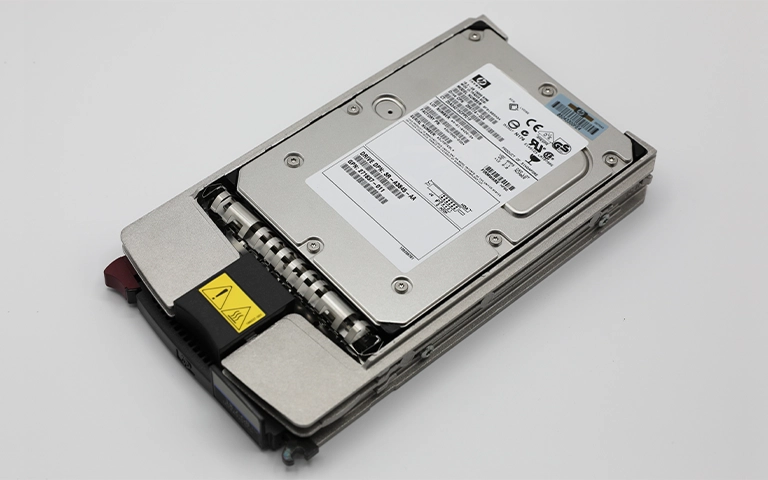
Understanding RAID 0 Configuration
RAID 0, also known as striping, combines two or more drives into one large volume to boost read and write speeds.
Instead of storing entire files on a single disk, the system splits data into blocks and distributes them evenly across all drives in the array. This design improves performance but completely sacrifices redundancy.
Because RAID 0 does not store parity or mirrored data, it cannot recover from a single disk failure. When one drive becomes unreadable, part of every file is lost, leaving the entire array inaccessible. This makes RAID 0 fast but extremely fragile when it comes to data protection.
RAID 0 is commonly used in gaming PCs, video editing workstations, or environments where speed is prioritized over fault tolerance.
However, users often underestimate how risky it is for storing critical files. To better understand how RAID levels differ in redundancy and performance, visit Types of RAID.
Common Causes of RAID 0 Volume Failure
RAID 0 systems are highly exposed to data loss because they offer no redundancy. A single fault can render the entire array unreadable. Below are the most frequent causes of RAID 0 failure:
Drive failure:
If one disk in the array stops functioning, the data becomes incomplete and the entire volume becomes inaccessible.Controller malfunction:
A faulty or outdated RAID controller can disrupt communication between drives, causing corruption or loss of the volume. For more detail, see RAID Controller Failure Recovery.Power surges or outages:
Unexpected power interruptions can corrupt data structures and cause the array to fail during read or write activity.Accidental reinitialisation:
Reinitialising or formatting the array without a backup immediately removes the existing configuration.Software corruption:
Faulty system updates or malware can damage partition tables and prevent the volume from mounting.Physical damage:
Heat, impact or moisture can impair drive components and lead to complete array failure.
Any of these issues can trigger a “failed RAID volume detected” message, indicating that the array can no longer operate correctly. A prompt and professional response is essential to avoid irreversible data loss.
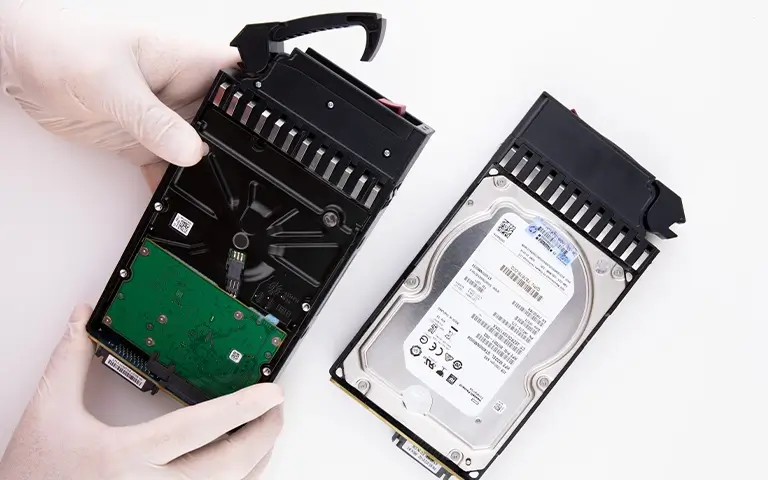
Signs of a Failed RAID 0 Volume
Recognising early signs of RAID 0 failure can help you act before data becomes permanently inaccessible. Common warning indicators include:
Error messages during start up:
Alerts such as “RAID volume failed” or “array degraded” may appear when the system boots.Missing or unrecognised partitions:
Drives may no longer appear in File Explorer or Disk Management.Unusual noises from drives:
Clicking, grinding or irregular spinning sounds often indicate mechanical failure.Slow system performance:
Delays during loading or data transfers suggest the array is struggling to read striped data.Inaccessible files or corrupted folders:
Files may open partially, fail to load or display errors.System freezes or crashes:
Frequent freezes when accessing large files can point to a failing disk within the array.
If you encounter any of these symptoms, stop using the array immediately. Continued operation can overwrite striped data and make recovery impossible.
Why DIY Recovery Can Be Risky
Attempting to recover a failed RAID 0 volume on your own can significantly worsen the damage. RAID 0 depends on exact striping patterns, so even slight mistakes in drive order or stripe size can permanently break the array structure.
Many users try recovery software or reinitialising the array in the hope of restoring access. In practice, these actions often overwrite original data or disrupt alignment, making professional recovery far more difficult. Repeatedly powering the system or swapping drives can introduce further hardware stress and create new logical errors.
When a RAID 0 array fails, the safest action is to stop all activity and disconnect the drives. At this point, only professional recovery can extract data safely without altering the underlying structure.
For early troubleshooting steps before recovery begins, visit Troubleshoot RAID Failure.
Fast turnaround times for business-critical data
Professional Recovery Process for RAID 0
Recovering data from a failed RAID 0 volume requires specialist tools, controlled conditions and detailed knowledge of how striped data is stored. Our engineers follow a structured process designed to maximise recovery success while safeguarding the integrity of every drive.
Each drive is assessed for mechanical, electronic or logical faults. This determines whether physical repair or firmware work is required before imaging can begin.
Rather than working directly on the damaged disks, engineers create sector by sector images of all drives. This protects the media from further degradation and provides a safe basis for reconstruction.
Specialist software is used to analyse stripe size, block order and offsets to rebuild the array virtually. This restores the original structure without relying on the damaged hardware.
Once the virtual array is rebuilt, corrupted file systems are repaired where possible and recoverable data is extracted to secure storage for verification.
Because RAID 0 offers no redundancy, accuracy and precision are essential. Professional recovery ensures the data is reconstructed safely and effectively, even when more than one drive is affected.

Conclusion and Expert Support
RAID 0 delivers excellent speed, but its lack of redundancy makes it one of the most vulnerable storage configurations. The failure of a single drive renders the entire array unreadable, putting all data at immediate risk.
Recognising early warning signs and avoiding quick DIY attempts can be the difference between successful recovery and permanent loss.
If you see a “failed RAID volume detected” message or notice missing files, disconnect the drives straight away and seek professional assistance.
Our engineers specialise in recovering RAID 0 arrays affected by drive failures, controller faults or accidental reinitialisation. We use advanced imaging and reconstruction methods to restore data safely and reliably.
To learn how often RAID arrays fail and how to minimise risk, review RAID Failure Rate. Acting promptly and relying on professional expertise gives your data the best chance of complete recovery.
Trust the experts with proven results
Frequently Asked Questions
What happens when a RAID 0 volume fails?
In RAID 0, data is split into blocks and distributed across multiple drives. If one drive fails, each file becomes incomplete and the entire volume becomes inaccessible. The array cannot rebuild itself because RAID 0 provides no redundancy.
Can data be recovered from a failed RAID 0 volume?
Yes. Although RAID 0 has no fault tolerance, recovery specialists can often reconstruct the array virtually by analysing drive structure, stripe size and order to extract data safely.
Why should I avoid using software recovery tools on RAID 0?
Software tools may write to the disks or rely on incorrect stripe parameters, which can permanently damage the array. Professional recovery avoids this risk by working from secure drive images rather than the original hardware.
What are the most common reasons for RAID 0 failure?
Typical causes include drive failure, controller malfunction, accidental reinitialisation, power issues and corrupted file systems. Physical damage to any drive also renders the array unusable.
How can I protect my RAID 0 data in the future?
Back up files regularly to external or cloud storage and monitor drive health closely. RAID 0 should only be used for temporary or non critical data where performance takes priority over resilience.