
A reliable server sits at the core of every modern business. It stores critical files, runs key applications, and underpins communication across teams and departments.
The server you choose has a direct impact on speed, security, and overall productivity.
An outdated or poorly configured system can lead to downtime, data loss, and sluggish performance that holds the whole organisation back.
Whether you operate a small office or a growing enterprise, investing in the right business server infrastructure is essential for stable day to day operations and long term scalability.
Understanding What a Server Does
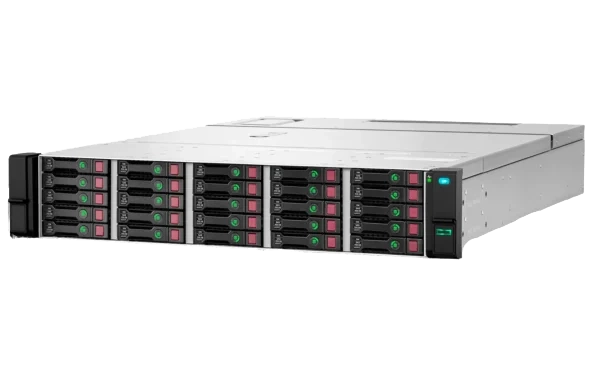
A server is a specialised computer built to store, manage, and deliver data or applications across a network. Unlike a standard desktop, it is designed to run continuously so employees can securely access files, email, and business software from multiple devices.
Servers also support backups, user authentication, and centralised data management, helping to keep information consistent, controlled, and protected.
Depending on your setup, a server can be hosted on site, in the cloud, or as part of a hybrid model that combines both. Understanding these basics is essential before deciding which type of business server is the best fit for your organisation.
Key Factors to Consider When Choosing a Server
When selecting a business server, several technical and operational factors determine how well it will perform and how reliable it will be over time:
Performance and processing power:
Choose a CPU that can comfortably handle your organisation’s daily workload, including peak usage periods, without causing delays for users.Storage capacity and type:
Assess how much data your teams produce and access. Solid state drives (SSDs) generally provide faster performance and responsiveness than traditional hard disk drives (HDDs).Scalability:
Opt for a system that can grow with your business. Flexible expansion for memory, storage, and network interfaces helps you avoid expensive upgrades or replacements later.Network speed and reliability:
A robust network connection is essential to keep access to files, applications, and services smooth and uninterrupted, especially for remote or hybrid teams.Security and redundancy:
Look for servers with built in RAID options, encryption support, and clear backup integration. This combination strengthens data protection and reduces the impact of hardware failure or security incidents.
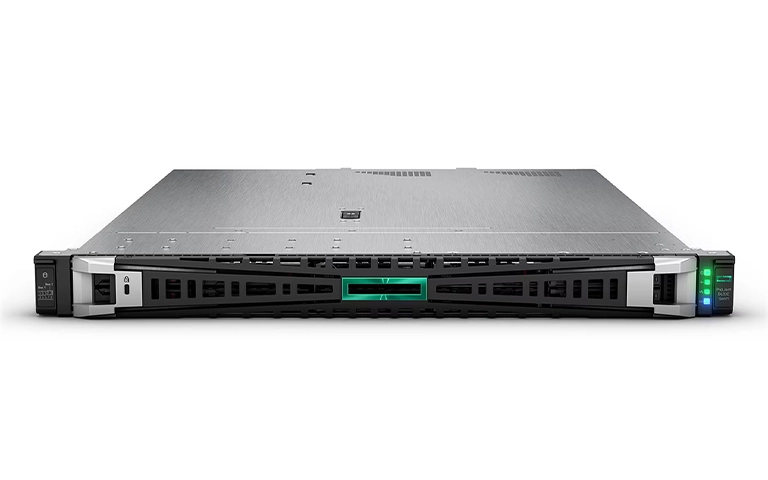
Comparing Server Types: On Premises vs Cloud vs Hybrid
Fast turnaround times for business-critical data
Hardware Requirements for Business Servers
Your server hardware has a direct impact on speed, stability, and how well it can cope with everyday workloads. Key components to assess include:
Processor (CPU):
A capable CPU ensures smooth multitasking and efficient handling of database queries, file sharing, and network requests.Memory (RAM):
Sufficient RAM prevents slowdowns when multiple users access applications at the same time or when several services run concurrently.Storage drives:
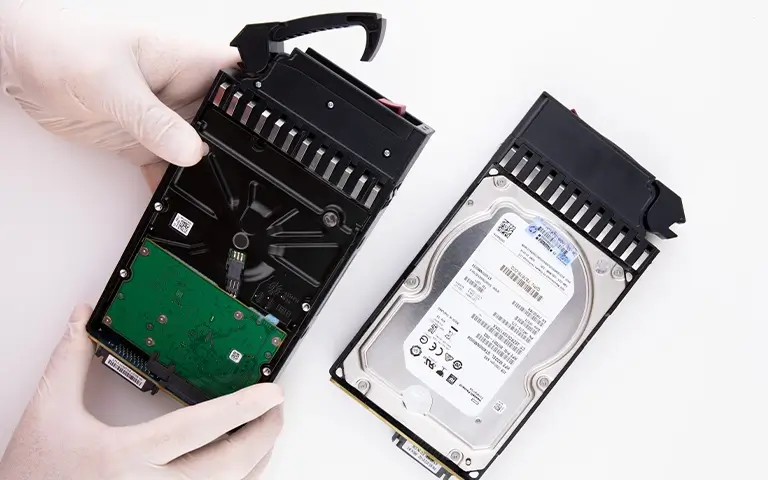
Use enterprise grade SSDs or HDDs combined with suitable RAID configurations to improve performance and add redundancy. Learn more about RAID options in our post on RAID configurations for server.Power supply:
Choose redundant power supplies to minimise downtime if a unit fails or there is an electrical fault.
Selecting the right hardware from the outset helps deliver consistent performance and gives your business server room to scale as your organisation grows.
Data Security and Backup Considerations
A secure business server setup must protect data from both internal and external risks. Implement encryption, role based access controls, and regular vulnerability scans to safeguard sensitive information.
RAID configurations add redundancy and help protect against drive failures.
However, they are not a substitute for proper backups. Combining RAID with scheduled backup routines ensures your files remain safe even after unexpected incidents.
You can learn more about reliability metrics in our guide on RAID Failure Rate.
For additional resilience, integrate off site or cloud based backups. These options support faster recovery during disasters or major system failures. Explore practical approaches in our post on Server Cloud Backup.
When to Consult IT or Data Recovery Professionals
Even with solid planning in place, business servers can still suffer hardware faults, software corruption, or unexpected downtime. When these issues arise, it is important to involve specialists early, before data becomes difficult or impossible to recover.
IT professionals can review performance, plan upgrades, and implement preventative maintenance to keep your business server running smoothly.
If the problem involves drive failure, RAID corruption, or data that has become inaccessible, you should contact data recovery experts.
At RAID Recovery Services, our engineers manage complex server recovery cases with precision and care.
Learn more about early intervention and diagnostics in our guide on Troubleshoot RAID Failure.
A professional assessment not only restores functionality but also reduces the risk of future data loss.

Conclusion: Building a Reliable Server Infrastructure
Choosing the right server for your business is more than a purely technical choice. It is an investment in reliability, security, and long term growth. A well specified business server provides stable performance, supports efficient collaboration, and safeguards vital company data.
By understanding server types, hardware requirements, and backup strategies, you can build an infrastructure that supports your operations today and scales as your organisation expands.
If your server encounters data loss or performance issues, contact RAID Recovery Services. Our specialists are ready to restore your systems and help you maintain a dependable, secure server environment.
Trust the experts with proven results
Frequently Asked Questions
What factors should I consider when choosing a server for my business?
Look at performance, storage capacity, scalability, and security as core requirements. You should also decide whether an on premises, cloud, or hybrid server model fits your workloads, compliance obligations, and budget best.
How much storage does my business server need?
This depends on the size of your organisation, how quickly your data grows, and the type of files you store. Plan for several years of growth, not just today’s needs, and consider using RAID on your business server to add redundancy and protect against drive failure.
What is the difference between a cloud server and an on-premises server?
A cloud server is hosted in a provider’s data centre and accessed over the internet, while an on premises server is physically located in your own office or facility. Cloud servers offer flexibility and simple scaling, whereas on premises servers give you greater control over hardware and data.
How can I protect my business data on a server?
Use strong encryption, role based access controls, and RAID redundancy on the server. Combine this with regular backups, security patches, and monitoring to reduce the risk of data loss and unauthorised access.
When should I contact professionals for server recovery?
If your server becomes inaccessible, displays RAID errors, or suffers a clear hardware fault, contact RAID Recovery Services immediately. Our specialists can diagnose the issue, recover your business data safely, and help stabilise the server environment.