
A multinational financial corporation began facing serious instability on its Dell EMC PowerVault MD3460, the primary storage platform for transaction records and customer data.
Access times dropped dramatically, alert messages increased, and multiple drives began reporting failures in quick succession.
With day to day operations at risk and data integrity under threat, the organisation engaged RAID Recovery Services for specialist Dell EMC MD3460 data recovery to assess the damage, stabilise the system, and establish how much of the affected information could be recovered.
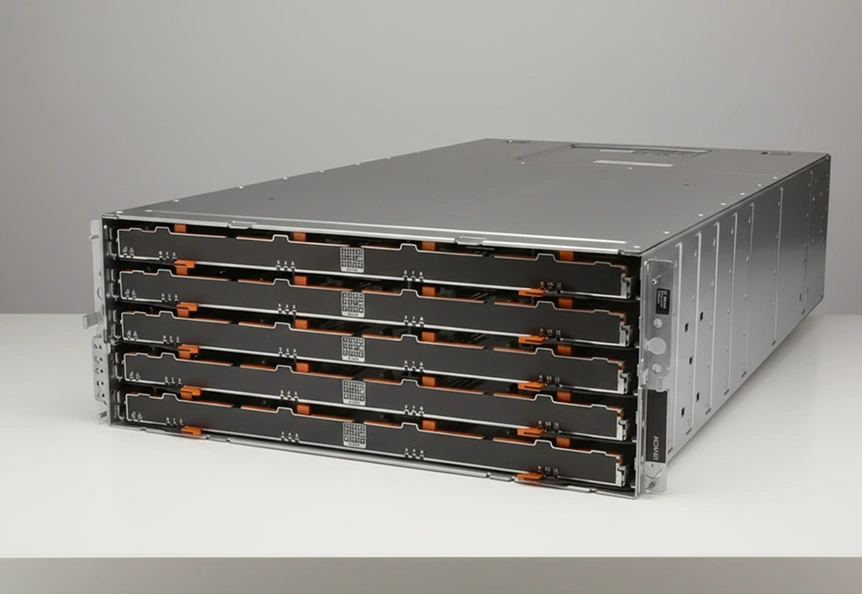
Incident Background and Impact Assessment
The client relied on a Dell EMC PowerVault MD3460 as the primary storage platform for:
High volume transaction records
Customer account information
Core financial reporting data
Over a relatively short period, the system began to exhibit escalating issues:
Slow, unresponsive access to critical files
Intermittent loss of access to data during peak hours
Unusual mechanical noises from the drive shelves
Frequent error messages indicating drive failures and potential data corruption
These symptoms indicated progressive multi drive failure within a complex RAID configuration, a pattern frequently seen in enterprise environments where several disks deteriorate in parallel.
To understand and mitigate similar risks, many organisations learn more about RAID hard drive failure behaviour in advance of an outage by using dedicated technical resources and specialist guidance.
Key Diagnostic Findings
Our engineers carried out a structured assessment of the Dell EMC PowerVault MD3460, concentrating on hardware condition, RAID integrity, and practical data accessibility.
Taken together, these findings confirmed a complex multi drive failure within the RAID group, where any standard rebuild attempt would have introduced a high risk of irreversible data loss.
Organisations facing similar symptoms often review guidance on RAID rebuild data loss risks first, to plan a controlled response rather than resorting to ad hoc remedial actions that can make recovery more difficult.
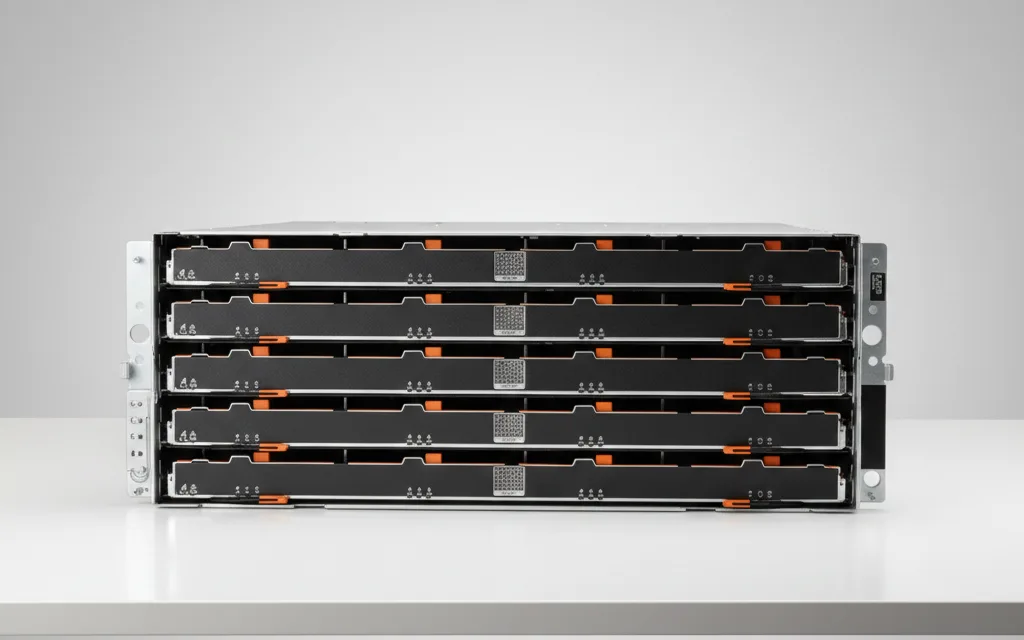
Step by Step Recovery Workflow
Our team followed a controlled, structured workflow to stabilise the environment and safeguard the remaining data.
Documented system layout, virtual disk configuration, and pool assignments
Collected logs, error events, and details of any previous intervention attempts from the client
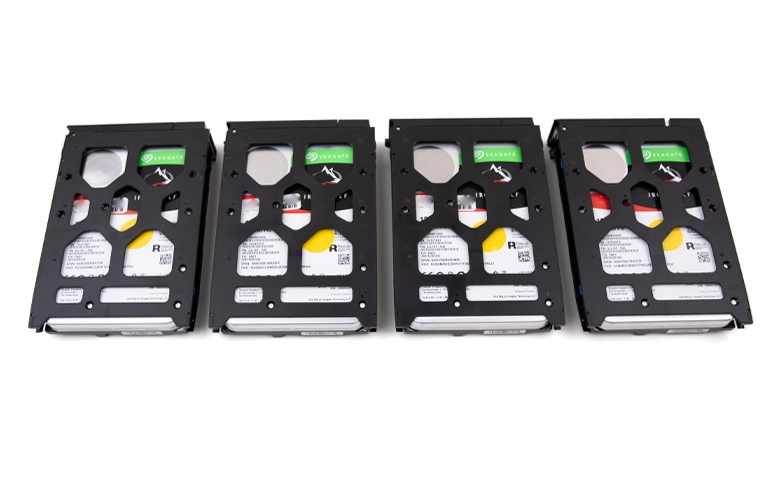
Tested each drive outside the array on dedicated lab equipment
Identified failed and marginal drives, then created sector level images wherever possible
Prioritised imaging of the most unstable drives to capture data before further degradation
Recreated the original RAID layout virtually from the disk images
Validated stripe order, parity rotation, and block size against metadata and log evidence
Aligned this process with best practices used for complex enterprise RAID configurations, similar to those described in our guidance on RAID configurations for servers
Mounted the reconstructed volumes in read only mode
Extracted database files, transaction datasets, and user directories to a secure recovery platform
Carried out targeted repairs on damaged file system structures where this was technically feasible
Ran consistency checks on the recovered data sets
Prepared structured exports so the client’s internal teams could validate and reintegrate the data into their production systems
Critical Handling Advisory
If several drives report errors, do not run rebuilds or repair tools on the array. This can overwrite readable sectors and block any chance of recovery. Power the system down, record the configuration, and contact a professional recovery team to work from drive images, not the live hardware.
Fast turnaround times for business-critical data
Final Recovery Outcomes
The engagement delivered a stable, production ready dataset that the client could confidently reintegrate into its live environment.
Approximately 98 per cent of critical information was recovered, including transaction and ledger records, customer account data, and core financial reporting sets.
Before release, key databases underwent consistency checks and representative queries were run in a controlled setting to confirm integrity and usability.
The recovered data was supplied on encrypted media with a clear, documented structure, enabling the client’s IT and compliance teams to bring systems back online with minimal disruption.

Strategic Takeaways for Preventing Future Data Loss
To strengthen continuity and reduce the risk of similar failures, organisations should consider the following measures:
Strengthen monitoring and alerting
Track SMART status, latency, and error rates with clear escalation rules so storage issues are addressed before they turn into outages. For broader continuity planning, learn more in our overview of business data recovery.
Treat backup as a separate resilience layer
Maintain both local and offsite or cloud backups, and test restores regularly to confirm that data can be recovered when primary storage fails. For modern backup approaches, see our guidance on server cloud backup.
Adopt proactive drive lifecycle management
Replace drives based on age, workload profile, and early warning signs rather than waiting for hard failures, and review firmware and configurations as part of scheduled maintenance.
Trust the experts with proven results
Frequently Asked Questions
What typically causes multiple drive failures in a Dell EMC PowerVault MD3460?
In most cases, it is a combination of ageing disks, sustained high I/O workloads, excess vibration, thermal stress, and drives that were already degraded but left in service. Over time, these factors align and trigger several failures in close succession.
Is it safe to start a rebuild when several drives show errors?
No. Launching a rebuild on an unstable array can push marginal drives into complete failure and overwrite sectors that are still readable. This often turns a recoverable situation into permanent data loss.
How long does enterprise RAID data recovery usually take?
It depends on drive condition, array size, and the complexity of the failure. Multi drive enterprise RAID recoveries typically require several days of detailed diagnostics, imaging, and virtual reconstruction work in the lab.
Can all financial databases and records be fully restored?
Not in every case. The outcome depends on how badly the drives and file systems are damaged. However, a controlled laboratory process usually recovers a substantial proportion of mission critical financial datasets.
What should an IT team do immediately after detecting this kind of failure?
Stop all non essential activity on the array, capture logs and configuration details, avoid any rebuild or repair attempts, and engage a professional data recovery provider as quickly as possible.